Book covers
Every book gets its own cover.
BookArc draws a front cover made for your book’s genre, with your title on it. Choose the one you like, draw another, or use your own.
- Up to 3 designs to choose from
- Upload your own, free
- Your name on it, if you want

Choose
Pick from up to three.
On the plan screen, choose how many cover options to draw. They arrive side by side, and you pick one.
- 1, 2 or 3 options at once, 4 credits each.
- Each is a different composition, so you get a real choice.
- Switch between the ones you have drawn at any time, for free.

Change it
Not quite right? Change it.
The cover can be changed later from the book’s menu, without rewriting a single chapter.
- Draw another design for 4 credits.
- Upload your own artwork instead. BookArc crops it to the page shape.
- Choose whether your name is on it. The name is drawn into the cover, so it appears on the next one you draw.

Real covers
Made for the genre, not a template.
Each cover is drawn from the book’s title, type and genre. These are covers BookArc drew for real books.
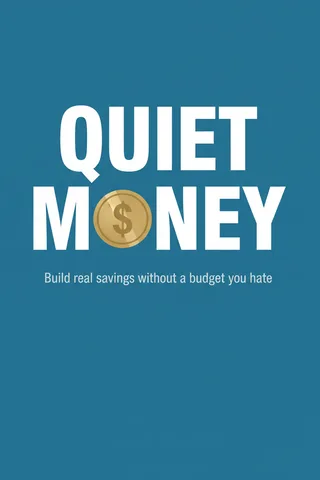
Quiet Money
How-To Guide
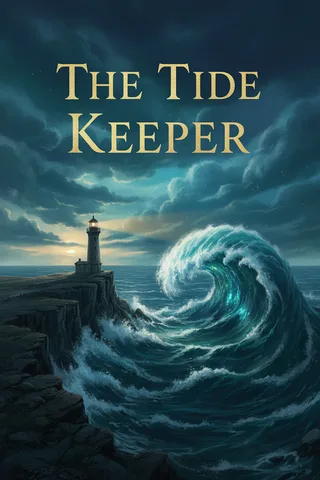
The Tide Keeper
Fiction Novel
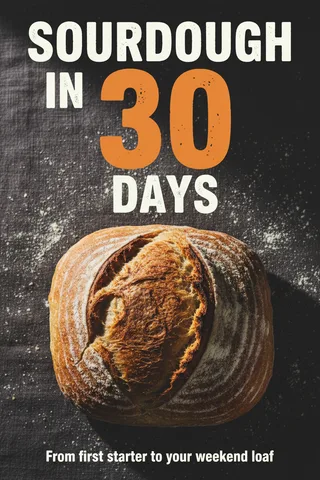
Sourdough in 30 Days
Online Course

Calm Mornings
Workbook
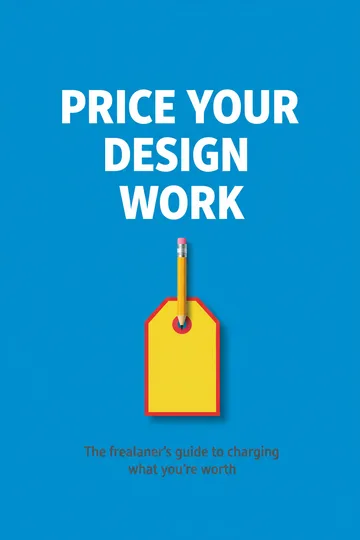
Price Your Design Work
Lead Magnet
Where it goes
One cover, everywhere it’s needed.
The PDF
Page one of the typeset PDF, so the book opens on its cover.
The EPUB
Built into the ebook file, where Kindle, Apple Books and Kobo show it.
Its own file
Download the cover on its own as a PNG for a store listing, KDP’s Cover Creator or an ad.
Questions about covers
What does a cover cost?
4 credits for each design BookArc draws. Picking between covers already drawn, uploading your own and turning your name on or off are free.
What if a word on the cover comes out wrong?
It can happen: the title is drawn as part of the picture, and AI image models sometimes get a letter wrong. Check the spelling before you publish. If one is off, pick another option, draw a new one, or upload a cover of your own.
Can I use my own cover instead?
Yes. Upload a JPG, PNG or WebP and BookArc crops it to the book’s 2:3 shape. It costs nothing, and it is used on the first page of the PDF and in the EPUB just like a drawn one.
Is the cover ready for a KDP paperback?
It is the front cover. A paperback also needs a back and a spine sized to the page count. Use the cover in KDP’s Cover Creator, or use the spine width calculator to build the full wrap yourself.
Who owns the cover?
You do. BookArc takes no rights over it and no cut of what the book earns. When you publish on KDP, it asks whether you used AI for the images; a drawn cover counts, so answer yes.
Does it work for books in other languages?
The title is written on the cover in the book’s language, in any of the 18. Languages that don’t use the Latin alphabet are harder for image models; BookArc asks the model to leave the lettering off rather than get it wrong.
More of what BookArc does
- AI book writerOne sentence in: a title, a chapter plan you edit, then every chapter written in order.
- EditingEdit any chapter by hand, or describe the change and review what the AI rewrote.
- Book typesSix formats, from a five-chapter lead magnet to a full novel.
- Print & ebook filesA print-ready PDF for KDP, an EPUB for ebook stores, Word and the cover.
- Coloring booksOne theme in: a whole book of line-art pages, ready to print.

Your book, with a cover to match.
Describe your book in one sentence. BookArc writes it and draws its cover. 30 credits free, no card.